

Have you ever wanted to create your own tiny world where you control everything? How to Play Powder Toy is your ultimate guide to diving into this exciting sandbox game.
Whether you’re a beginner or just curious, you’ll discover simple steps to get started and tricks to make your creations come alive. Ready to turn your ideas into fun experiments? Keep reading, and you’ll soon be playing Powder Toy like a pro!
Getting Started With Powder Toy
Powder Toy is a free physics sandbox game. You can create and test many materials. It is fun and easy to start playing.
This guide helps you install the game, learn controls, and explore the sandbox. Follow the steps to enjoy your experience.
Installing The Game
You can download Powder Toy from the official website or trusted sources. It works on Windows, Mac, and Linux systems.
- Visit the official Powder Toy website
- Choose your operating system
- Download the installer file
- Run the installer and follow instructions
- Open the game after installation finishes
Basic Controls And Interface
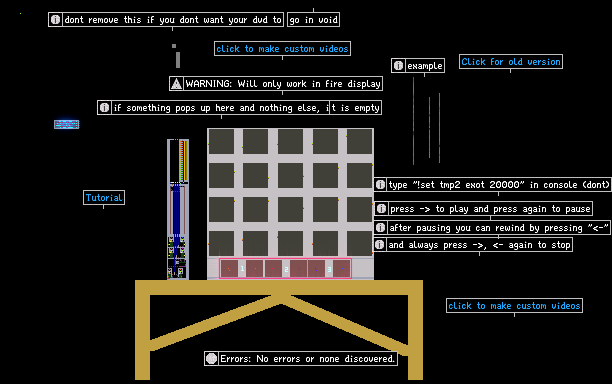
The game interface has tools on the left and the sandbox in the center. Use the mouse and keyboard to interact.
| Control | Function |
| Left Click | Place or draw materials |
| Right Click | Erase or remove materials |
| Mouse Wheel | Change brush size |
| Spacebar | Pause or resume simulation |
| Number Keys (1-9) | Select different materials |
Exploring The Sandbox
The sandbox is your playground. You can build, test reactions, and see how materials behave.
Here are some tips to try in the sandbox:
- Use different elements to create new reactions
- Change brush size for detailed or big creations
- Pause the simulation to plan your next move
- Save your work to continue later
Credit: github.com
Core Gameplay Mechanics
The Powder Toy is a sandbox game where players create and explore different reactions. You can place elements and materials to see how they interact. The game focuses on physics and chemistry in a fun way.
Understanding the core mechanics helps you build interesting setups. You experiment with elements, create reactions, and use tools to control your world.
Elements And Materials
The game has many elements and materials you can place. Each one behaves differently and has unique properties. Some elements burn, melt, or explode. Others conduct electricity or flow like liquids.
You can mix solids, liquids, and gases to see what happens. Learning about each material helps you predict their behavior in your creations.
- Solids like metal, wood, and sand
- Liquids such as water, oil, and acid
- Gases including air, smoke, and steam
- Special elements like explosives and electricity
Creating Reactions
Reactions happen when elements touch or come close. Some materials burn or melt, causing chain reactions. You can trigger explosions or chemical changes by placing certain elements together.
Watch how heat, pressure, and electricity affect your setup. Reactions can spread or stop depending on the materials involved.
- Fire spreads through flammable materials
- Water can cool or dissolve some elements
- Electricity flows through conductors and powers devices
- Explosives cause damage in an area
Using Tools And Devices
Tools help you place, erase, and modify elements in your world. Devices like batteries, sensors, and switches allow you to create machines and circuits.
You can build complex systems by connecting devices. This adds control to how reactions happen in your creations.
- Brush tool to draw elements
- Erase tool to remove parts
- Batteries and wires to carry electricity
- Sensors to detect conditions
- Switches to turn devices on or off
Building And Experimenting
The Powder Toy lets you build many things using simple elements. You can create machines and test how they work.
Experimenting helps you learn how parts interact. This guide covers building simple machines, complex systems, and tips for faster creation.
Constructing Simple Machines
Start with basic parts like levers, pulleys, and gears. Use these to build moving machines that perform small tasks.
- Choose elements that move or transfer force.
- Connect parts carefully to avoid unwanted breaks.
- Test each machine part separately before combining.
- Use power sources like engines or pressure for motion.
Designing Complex Systems
Complex systems combine many simple machines. They can perform multiple tasks and react to changes.
| System Part | Function | Example |
| Input | Starts the process | Button press |
| Processor | Controls flow | Logic gate |
| Output | Final result | Moving arm |
| Power | Gives energy | Engine |
Plan each part’s role before building. Connect parts to work smoothly as a whole.
Tips For Efficient Creation
Save time with these methods:
- Use copy and paste for repeated parts.
- Group elements to move them easily.
- Label parts to keep track of functions.
- Test small sections before full builds.
- Use shortcuts for faster building.
Advanced Features
The Powder Toy has many features for experienced players. These features help you create complex simulations.
Learning these advanced tools makes the game more fun and creative. Let’s explore some key features.
Scripting And Automation
You can use scripting to control elements in Powder Toy. Scripts automate actions and reactions in your world.
The Lua scripting language is built into the game. It lets you create custom behaviors for elements.
- Create triggers that start events automatically
- Make machines that work without manual input
- Test complex reactions faster using code
Customizing Elements
Powder Toy lets you change or add new elements. Custom elements can have unique properties and effects.
You can edit how elements behave, look, and interact. This lets you tailor the game to your ideas.
- Adjust element density, temperature, and color
- Add special reactions or explosions
- Create new materials not in the original game
Using Mods And Add-ons
Mods and add-ons expand the Powder Toy experience. They add new elements, tools, and features.
You can download mods created by other players or make your own. Mods help keep the game fresh.
- Add new element packs with different properties
- Use custom tools to build faster or easier
- Change game physics or add new mechanics
Community And Sharing
The Powder Toy has a strong community that loves to share ideas and creations. Players from all over join to learn and enjoy together.
Connecting with others helps improve your skills and makes the game more fun.
Accessing Online Resources
You can find many online resources to help you play and create in Powder Toy. Forums, wikis, and video tutorials offer tips and tricks.
- Visit the official Powder Toy forums to ask questions and share ideas.
- Use the wiki to learn about different materials and tools.
- Watch videos to see how others build complex machines and experiments.
- Download user-made content to try new things in the game.
Sharing Your Creations
Sharing your designs helps you get feedback and inspires others. You can upload your creations on the community sites.
| Platform | How to Share |
| Official Forums | Post screenshots and save files |
| Discord Server | Join channels and share your work live |
| Social Media Groups | Upload videos and photos of your creations |
Joining Competitions And Challenges
Competitions and challenges are great ways to improve your skills. They bring the community together and push creativity.
- Find current contests on the official forums or social media.
- Read the rules carefully before entering.
- Submit your creation before the deadline.
- Vote for other entries and give helpful feedback.
- Learn from the winners and try new ideas.

Credit: www.youtube.com

Credit: powdertoy.co.uk
Frequently Asked Questions
What Is Powder Toy?
Powder Toy is a free physics sandbox game. It allows users to simulate various elements and reactions. Players can create, destroy, and explore virtual worlds. The game is popular for its realistic physics and creative possibilities. It’s available on multiple platforms, including Windows and Mac.
How Do You Start Playing Powder Toy?
To start, download Powder Toy from its official website. Install and launch the game on your device. Familiarize yourself with the interface and tools. Begin by experimenting with different elements and reactions. Tutorials and community forums can help you learn advanced techniques.
What Are The Main Features Of Powder Toy?
Powder Toy offers a wide range of features. These include realistic physics simulations, a variety of elements, and customizable tools. Players can create complex machines and simulate natural disasters. The game supports multiplayer mode and online sharing of creations.
Can You Play Powder Toy Offline?
Yes, Powder Toy can be played offline. Once downloaded and installed, no internet connection is needed. You can enjoy experimenting with elements and creating worlds without online access. However, online features like community sharing require connectivity.
Conclusion
Playing Powder Toy is fun and lets you explore many ideas. You can create different materials and see how they react. Practice helps you learn new tricks and improve your skills. Experiment often to discover exciting effects and combinations. Remember, the game is about creativity and learning.
Enjoy each moment as you build your own world. Start small, try new things, and watch your creations come alive. Powder Toy offers endless chances to play and imagine. Keep exploring, and most of all, have fun!