


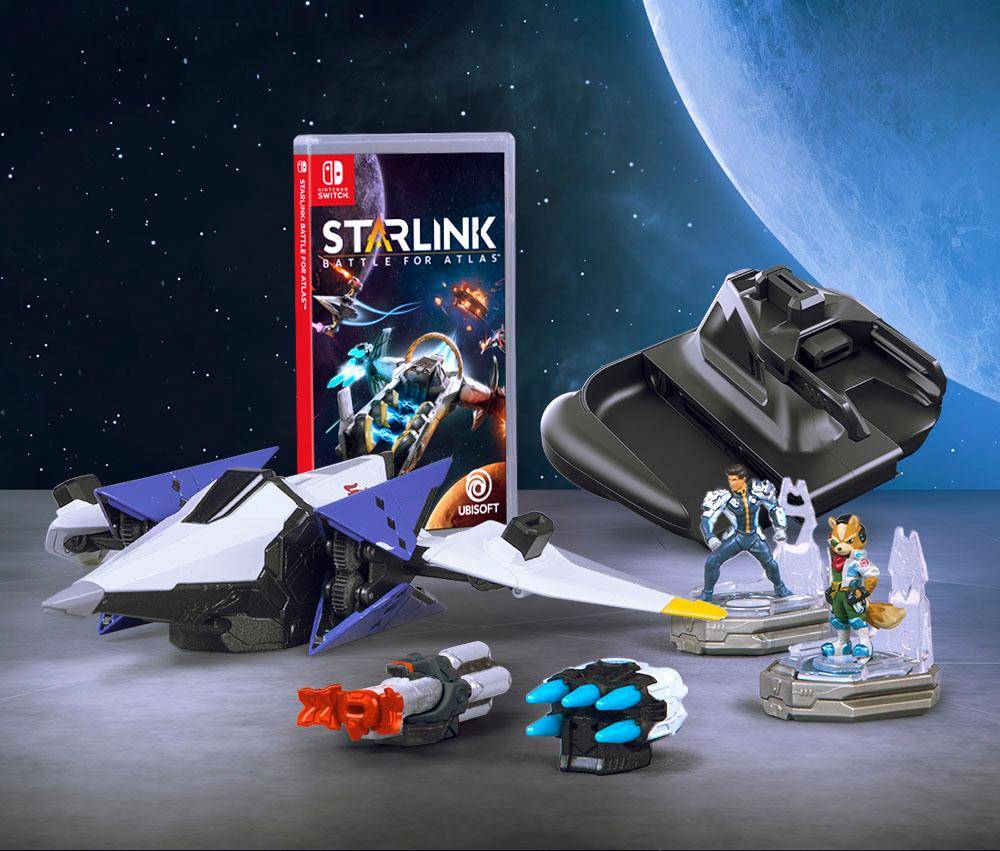
Are you eager to dive into the world of Starlink but wondering if you can enjoy the game without the need for additional toys? You’re not alone.
This question has sparked curiosity among many gaming enthusiasts who are keen to explore the universe of Starlink without having to invest in extra gadgets. Imagine the thrill of maneuvering through space, engaging in epic battles, and completing missions, all from the comfort of your gaming console or PC without the clutter of additional toys.
We’ll explore whether it’s possible to enjoy Starlink in its purest digital form and what that experience entails. Stay with us as we uncover how you can maximize your gaming adventure without the extras, ensuring you get the most out of every moment.
Credit: www.polygon.com
Starlink Game Basics
Starlink is a space adventure game with unique gameplay. Players explore planets and fight enemies.
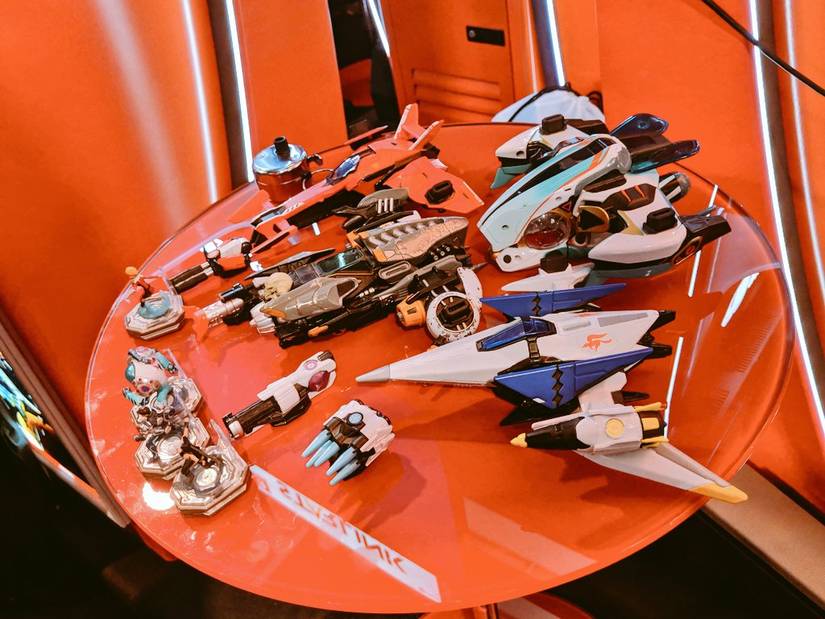
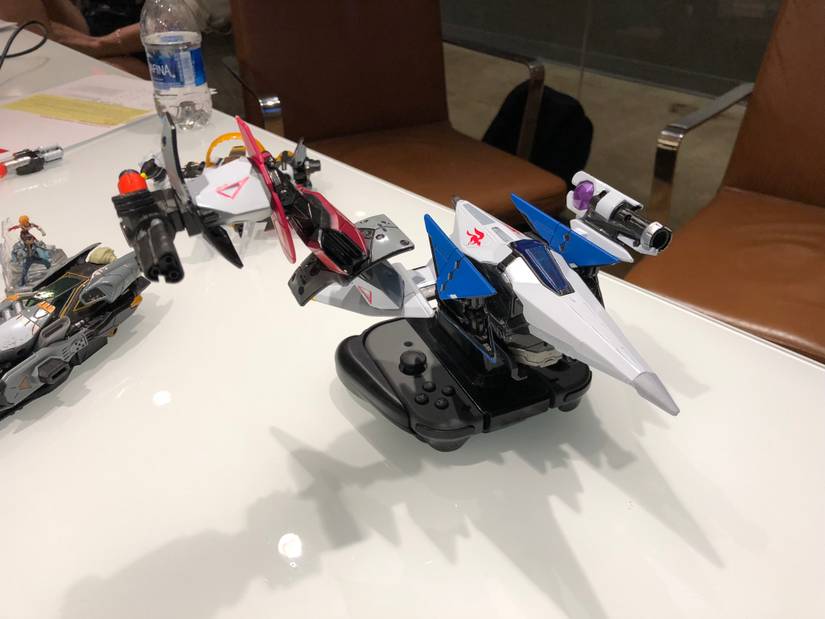
The game uses physical toys to interact with the digital world. This changes how you play.
Core Gameplay Mechanics
Players pilot customizable ships and explore different planets. Combat involves flying and shooting at enemies.
- Explore planets with your ship
- Collect resources and items
- Fight enemies using weapons and abilities
- Upgrade ships for better performance
- Complete missions to advance the story
Role Of Physical Toys
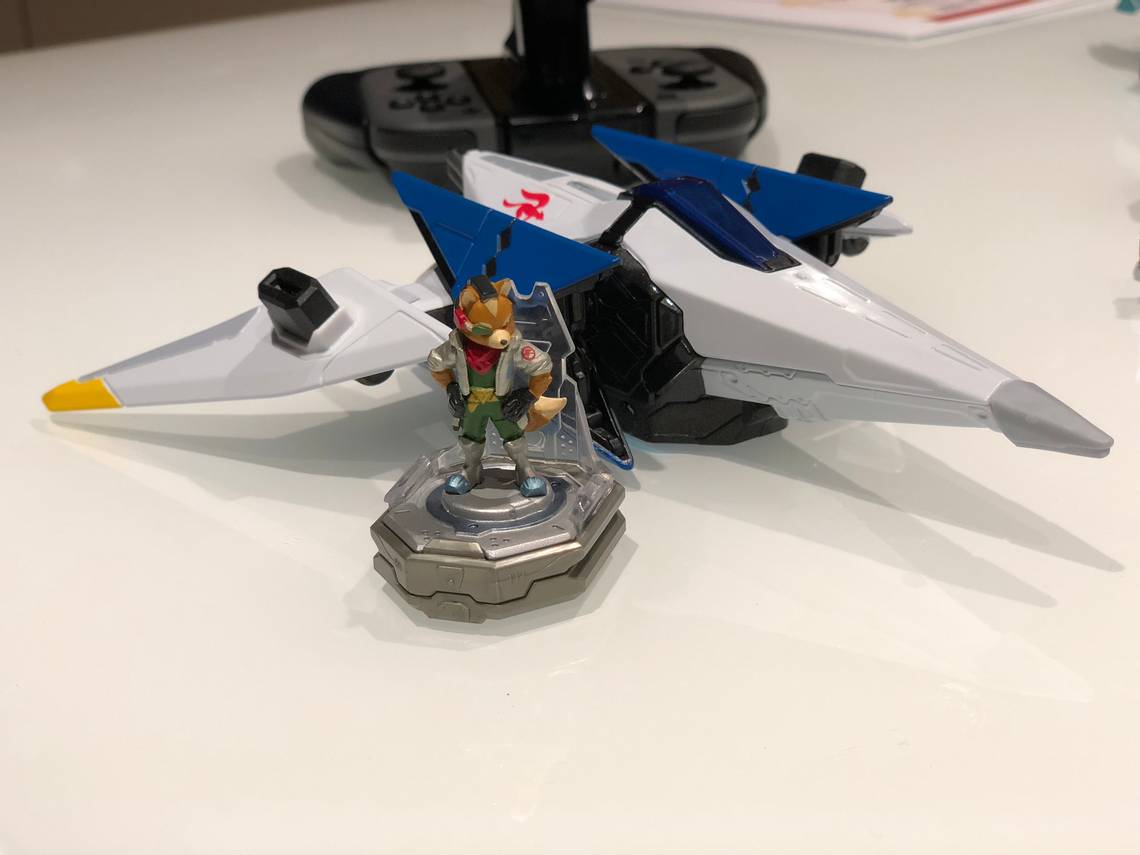
Physical toys connect to the game controller to add new ships, pilots, and weapons. They affect gameplay directly.
| Type | Function in Game | Effect Without Toy |
| Ship | Controls flight and abilities | Use default ship with limited options |
| Pilot | Adds special skills | No pilot skills available |
| Weapon | Provides attack options | Basic weapon equipped by default |
Playing Without Toys
Starlink lets you play without physical toys. You can enjoy the game fully with just your controller.
This mode is great if you don’t have the toy ships or want to play digitally.
Using Digital Ship Loadouts
You can select and customize ships using digital loadouts. This replaces the need for physical toys.
Each ship comes with weapons and parts you can change in the game menu.
- Choose your ship from the digital menu
- Change weapons and gear anytime
- Save your loadouts for quick access
Navigating The Game Interface
The game interface is easy to use without toys. Menus let you control everything digitally.
Use the interface to switch ships, weapons, and check missions without physical parts.
- Use the controller to open the ship menu
- Navigate options with simple buttons
- Access maps, missions, and upgrades easily
Solo Gaming Experience
Starlink offers a unique solo gaming experience without the need for physical toys. You can play the game on your own and explore the universe freely.
This mode lets you enjoy space battles and missions at your own pace. It is designed to be engaging even without the toy elements.
Single-player Campaign Features
The single-player campaign lets you control a spaceship and complete different missions. You can upgrade your ship and weapons using in-game resources.
The game includes various planets to explore and enemies to fight. You also unlock story content as you progress through the campaign.
- Fly your ship freely in space
- Complete story-driven missions
- Upgrade ships and weapons
- Explore multiple planets
- Fight different enemy types
Challenges In Solo Mode
Playing without toys means you rely only on the digital controls and upgrades. The game can be more challenging since you miss the physical toy bonuses.
You must manage resources carefully and plan missions well. Some battles may require more strategy to win in solo mode.
- No physical toy bonuses
- Limited ship customization options
- More resource management needed
- Increased difficulty in some fights
Limitations Without Toys
Playing Starlink without toys changes the overall experience. Some parts of the game are not available. This affects how you play and what you can do.
Without toys, you face limits on weapons, ships, and abilities. These limits reduce the game’s depth and variety.
Missing Features And Content
The toys bring new ships and weapons into the game. Without them, you miss out on these additions. Some missions and challenges also need specific toys.
- No access to special ships and pilots
- Limited weapon choices
- Some missions locked or unavailable
- Missing exclusive in-game rewards
- Reduced customization options
Impact On Gameplay Variety
Gameplay variety suffers without toys. You cannot switch between different ships or weapons. This makes the game feel repetitive over time.
| With Toys | Without Toys |
| Multiple ships to choose | Single ship only |
| Wide range of weapons | Limited weapon options |
| Unique pilot abilities | No special abilities |
| Varied mission styles | Basic mission play |
| Customizable loadouts | Fixed loadouts |
Tips For Toy-free Play
Starlink offers a unique experience with physical toys. You can still enjoy the game without them. Focus on the digital features to play smoothly.
Playing without toys means using the in-game menus and controls. This lets you explore and fight without extra gear.
Optimizing Ship Customization
You can change your ship’s parts and weapons through the game’s menu. This helps you build a ship that fits your play style.
Focus on upgrading key parts like engines, weapons, and shields. These upgrades improve your ship’s speed and defense.
- Choose weapons that suit your combat style
- Upgrade shields to survive longer in battles
- Improve engines for faster travel and dodging
- Mix and match parts for better balance
Strategies For Progression
Complete missions and explore planets to gain experience points. This helps you level up and unlock new gear.
Use your in-game currency wisely to buy upgrades. Focus on parts that improve your ship’s strengths and cover weaknesses.
- Finish story missions to unlock new areas
- Collect resources from planets for crafting
- Save currency for important upgrades
- Practice flying to improve control and aim
Credit: www.polygon.com
Alternative Controllers And Accessories
Playing Starlink without the original toys is possible. Many players want to use other controllers or devices. This guide explains which options work well.
You do not need the special Starlink toys to enjoy the game. Different controllers and accessories can help you play comfortably.
Compatible Gamepads
Starlink supports several gamepads beyond its own toys. Most popular controllers work with the game on different platforms. These controllers offer a smooth gaming experience.
- Xbox One and Series X|S controllers
- PlayStation 4 and PlayStation 5 controllers
- Nintendo Switch Pro Controller
- Generic USB or Bluetooth gamepads
Make sure your controller is connected before starting the game. The game will automatically detect compatible devices. You can customize button layouts in the settings.
Using Keyboard And Mouse
Starlink can also be played with a keyboard and mouse on PC. This setup offers precise control over your ship and characters. The game’s controls are easy to learn.
| Action | Keyboard Key | Mouse Button |
| Move Ship | W, A, S, D | Not used |
| Aim | Arrow keys | Move mouse |
| Shoot | Spacebar | Left click |
| Switch Weapon | Number keys 1-4 | Right click |
| Pause Menu | Esc | Not used |
You can change key bindings in the options menu. This lets you find the setup that fits your style best.
Community Insights
Many players wonder if they can play Starlink without the physical toys. The community has shared useful insights on this topic. Their experiences help understand how the game works without the toy accessories.
This guide covers player experiences and fan-made content. It shows what others say about playing without the toys and how mods affect gameplay.
Player Experiences
Some players report that Starlink can be played without the physical toys. The game allows using digital versions of ships and weapons. This means you can still enjoy the story and missions.
- Players mention limited access to certain ships without toys.
- Some say the experience feels less immersive without physical controllers.
- Others appreciate the option to buy digital packs instead of toys.
- Multiplayer can be affected since some features rely on toys.
Fan-made Content And Mods
Fans have created mods and custom content to expand gameplay. These mods help players enjoy the game without needing the physical toys. Some mods add new ships or unlock features.
| Mod Name | Feature | Effect on Toy Use |
| Digital Ship Pack | Adds new ships | Removes need for physical ships |
| Weapon Unlocker | Unlocks weapons | Allows weapon use without toys |
| Custom Mission Creator | New missions | Enhances gameplay without toys |
| Multiplayer Fix | Improves connection | Reduces toy dependency in multiplayer |
Credit: www.polygon.com
Frequently Asked Questions
Can I Play Starlink Without Physical Toys?
No, Starlink requires physical toys and a base to play. The game uses toy models for ship control and gameplay interaction. Without toys, you cannot fully experience Starlink’s interactive features or access key game mechanics.
Are Digital-only Options Available For Starlink Gameplay?
Starlink currently does not offer digital-only gameplay. The game is designed around physical toys integrated with the software. Using physical toys is essential to unlock ships, weapons, and in-game content.
What Happens If I Don’t Use Starlink Toys?
Without Starlink toys, gameplay is limited or impossible. The toys activate specific ships and abilities. Missing toys means missing core gameplay elements and content.
Can I Use Third-party Toys With Starlink?
Starlink only supports its official toys for gameplay. Third-party toys won’t be recognized by the game’s systems. Using official toys ensures full compatibility and features.
Conclusion
Playing Starlink without toys limits your game experience. The physical toys add fun and control to gameplay. You can still enjoy missions and explore space digitally. But the full Starlink feel needs the toys. Consider trying the toys for better engagement.
Yet, the digital version offers a taste of adventure. Decide what suits your style and budget best. Either way, Starlink brings space excitement to your screen. Give it a try and see what you enjoy most.