


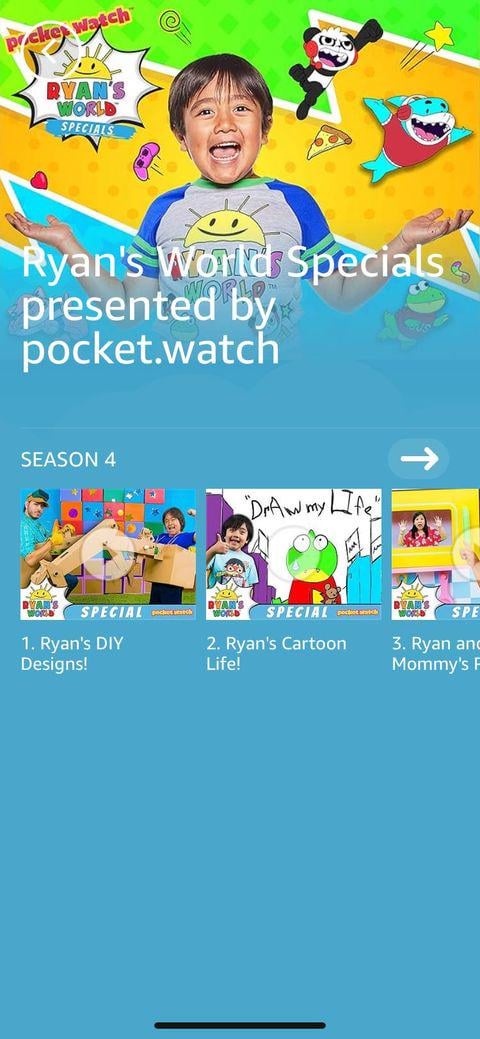
Are you tired of seeing Ryan Toy Review videos pop up everywhere? Maybe your child watches them too often, or you simply want to control what content appears on your device.
Blocking Ryan Toy Review can help you take back control and create a safer, more personalized viewing experience. You’ll discover simple, step-by-step methods to block these videos on different platforms. Keep reading, and you’ll learn how to protect your screen time without stress or hassle.
Why Block Ryan Toy Review
Ryan Toy Review is a popular YouTube channel for kids. Some parents want to block it for several reasons. This helps control what children watch online.
Blocking the channel can protect children from content parents find unsuitable. It also helps manage screen time and online safety.
Concerns About Content
Some videos on Ryan Toy Review show many toy unboxings and loud sounds. This can make kids want too many toys or get distracted easily.
Parents worry about ads and product placements in the videos. These might encourage children to want more things they do not need.
Managing Screen Time
Watching Ryan Toy Review for long hours can affect a child’s routine. It may reduce time spent on homework or outdoor play.
Blocking the channel helps parents set limits on screen time. This supports healthy habits and balanced daily activities.
- Limits watching hours
- Encourages breaks from screens
- Supports sleep and exercise routines
Protecting Children Online
Online content is not always safe for kids. Ryan Toy Review videos sometimes show ads or links to other channels.
Blocking the channel reduces exposure to unwanted ads and unsafe content. It helps keep children’s online experience safer.
- Prevents exposure to ads aimed at kids
- Stops access to unsuitable videos
- Gives parents control over content

Credit: www.youtube.com
Blocking On Youtube
You may want to block Ryan Toy Review videos on YouTube. This guide shows simple ways to block content.
Blocking can help control what you or your children watch on the platform.
Using Youtube Settings
YouTube lets you block channels directly from its settings. This stops their videos from showing up.
To block Ryan Toy Review, go to the channel page and find the block option in settings.
- Open Ryan Toy Review channel on YouTube
- Click on the “About” tab
- Click the flag icon and select “Block user”
- Confirm to block the channel
Blocking Via Google Account
You can block channels using your Google account settings. This helps control all linked services.
Blocking Ryan Toy Review here prevents the channel from interacting with your account.
- Sign in to your Google account
- Go to the “People & sharing” section
- Manage blocked users and add the channel
- Save changes to apply the block
Using Restricted Mode
Restricted Mode hides videos that may contain mature content. It can help limit some videos.
Turn on Restricted Mode to filter out videos like Ryan Toy Review if needed.
- Sign in to YouTube
- Scroll down to the bottom of the page
- Click the “Restricted Mode” drop-down menu
- Toggle it to “On” to activate filtering
Using Parental Control Apps
Parents can control what their children watch online. Parental control apps help block unwanted content easily.
These apps let you limit access to specific videos or channels, like Ryan Toy Review. You can keep kids safe from videos you don’t approve.
Top Parental Control Apps
Many apps offer strong tools to block videos and manage screen time. Choose one that fits your needs and device.
- Qustodio: Easy to use with strong filtering features
- Norton Family: Offers detailed web and video monitoring
- Net Nanny: Filters harmful content well on many devices
- Kaspersky Safe Kids: Good for blocking apps and videos
- OurPact: Lets you block specific apps and set schedules
Setting Up Filters
Filters block certain videos, channels, or keywords. Set filters to stop Ryan Toy Review videos from playing.
Most apps let you add specific words or channel names to a block list. This stops the app from showing unwanted content.
- Enter “Ryan Toy Review” as a blocked keyword
- Block YouTube channels by name or URL
- Filter videos by age rating or content type
- Use safe search options inside the app
Scheduling Screen Time
Control how long kids watch videos by setting screen time limits. This helps reduce exposure to unwanted content.
You can set specific times when the device or app is allowed. Outside those times, videos and apps will be blocked automatically.
- Set daily limits for video watching
- Choose hours when devices are off-limits
- Use bedtime settings to stop screen use at night
- Adjust schedules for weekdays and weekends

Credit: www.youtube.com
Browser-based Blocking Methods
Blocking Ryan Toy Review videos can help control what content you see online. Browsers have tools to stop unwanted videos from appearing.
This guide covers how to use browser features and extensions to block Ryan Toy Review content effectively.
Installing Extensions
Browser extensions add extra features that can block certain websites or videos. You can find these extensions in your browser’s store.
Look for extensions that let you block specific channels or keywords to stop Ryan Toy Review videos.
- Go to your browser’s extension store
- Search for video or content blockers
- Read reviews to choose a reliable extension
- Install the extension and follow setup instructions
Configuring Filters
Filters let you block content by keywords or channel names. You can set filters in extensions or browser settings.
Set filters to block “Ryan Toy Review” and related keywords to avoid these videos in search and recommendations.
- Open your extension or browser filter settings
- Add “Ryan Toy Review” to the blocked keywords list
- Save changes to apply the filter
- Test by searching to check if videos are blocked
Managing Block Lists
Block lists keep track of channels or videos you want to hide. You can update these lists anytime.
Keep your block list current by adding new keywords or channels if needed. Remove items if you want to see them again.
- Access the block list in your extension or browser
- Add new channels or keywords to block
- Remove items if you want to unblock content
- Regularly review the list for accuracy
Network-level Blocking
Network-level blocking stops access to websites on your whole home network. It works by controlling internet traffic from your router or DNS.
This way, you can block unwanted content like Ryan Toy Review videos on all devices. It is better than blocking on each device.
Using Router Settings
Your router controls all internet access at home. You can block sites by changing its settings.
Look for parental controls or website blocking options in your router’s menu. Add the site URL you want to block.
- Log into your router’s admin page
- Find parental control or security settings
- Add Ryan Toy Review URLs to block list
- Save changes and restart the router
Dns Filtering Options
DNS filtering changes how your network finds websites. It can stop devices from reaching certain sites.
You can use free or paid DNS services with filtering features. Set your router or device to use these DNS servers.
- Choose a DNS provider with content filtering
- Change your router’s DNS settings to use it
- Block categories or specific sites like Ryan Toy Review
- All devices on your network will follow the DNS rules
Benefits Of Network Control
Network control blocks unwanted content on every device at once. It saves time and effort.
This method also works for smart TVs, tablets, and phones without extra apps. It keeps your whole home safe.
- Blocks content on all devices automatically
- Easy to update and manage from one place
- Works without installing software on each device
- Improves internet safety for children and family

Credit: toyworldmag.co.uk
Tips For Successful Blocking
Blocking Ryan Toy Review can help control what children watch online. It is important to use smart ways to keep filters effective.
Good blocking needs regular care and attention. This guide shares simple tips to keep blocking strong and useful.
Regularly Updating Filters
Filters stop unwanted videos from showing up. But these filters need updates to work well.
New videos appear all the time. Update your filters to catch new content you want to block.
- Check your filter settings weekly
- Add new keywords to block lists
- Remove filters that block good content
Monitoring Viewing Habits
Watch what your children see online. This helps you know if blocking works well or needs change.
Look for videos that might slip past your filters. This keeps your child safe from unwanted content.
- Review watch history regularly
- Use parental controls on devices
- Ask children about their favorite videos
Communicating With Children
Talk with your children about what videos are okay to watch. Clear rules help them understand limits.
Open talks build trust. Children feel safe to ask questions or share concerns about videos.
- Explain why some videos are blocked
- Encourage them to tell you if they see bad content
- Set clear rules for screen time and video choices
Frequently Asked Questions
How Can I Block Ryan Toy Review On Youtube?
To block Ryan Toy Review, use YouTube’s Restricted Mode or block the channel directly. This hides videos from your feed and search results.
Can I Restrict Ryan Toy Review Content For Kids?
Yes, enable YouTube’s Restricted Mode or use parental controls to limit access to Ryan Toy Review videos for children.
What Apps Help Block Ryan Toy Review Videos?
Apps like YouTube Kids, Net Nanny, or Qustodio allow you to filter or block specific channels including Ryan Toy Review.
Does Blocking Ryan Toy Review Affect All Devices?
Blocking on one device may not sync. You need to block the channel on each device or account separately.
Conclusion
Blocking Ryan Toy Review is simple with the right steps. You can control what appears on your device. Use settings and apps to limit unwanted content. Stay safe and protect your family online. Keep checking your controls often for updates.
Taking action helps create a better digital space. It does not take long to set up. Small changes make a big difference every day. Stay aware and enjoy a safer internet experience.